Get API Key
How to retrieve your API Key or Authorization Bearer Token.
To use the Links SDK, you need a valid API Key or Bearer Token to authenticate your requests.
Quick Access: If you are already logged in, you can go directly to your API Key Settings.
Otherwise, follow these steps to retrieve your credentials manually from the dashboard:
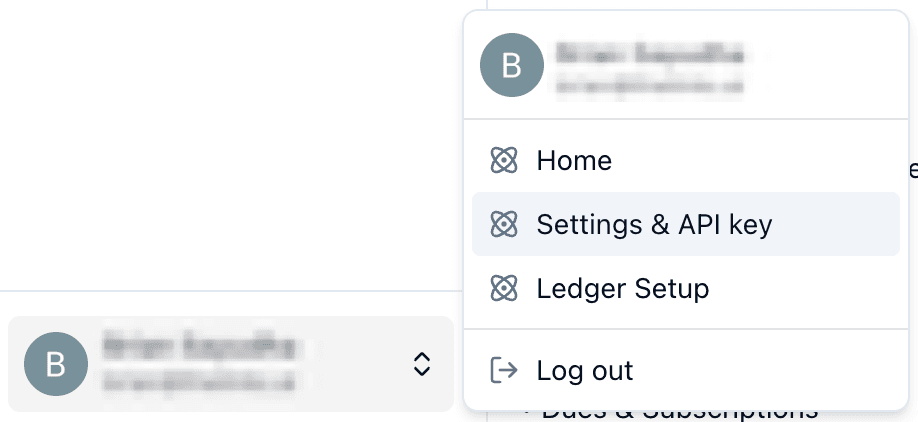
Navigate to Settings
Log in to the Financial Accounting Hub. Click on your User Name in the top navigation bar to open the dropdown menu, then select Settings & API Key.

Open API Key Tab
In the Settings dashboard, look for the API Key tab in the sidebar or top menu. Click it to view your credentials management screen.
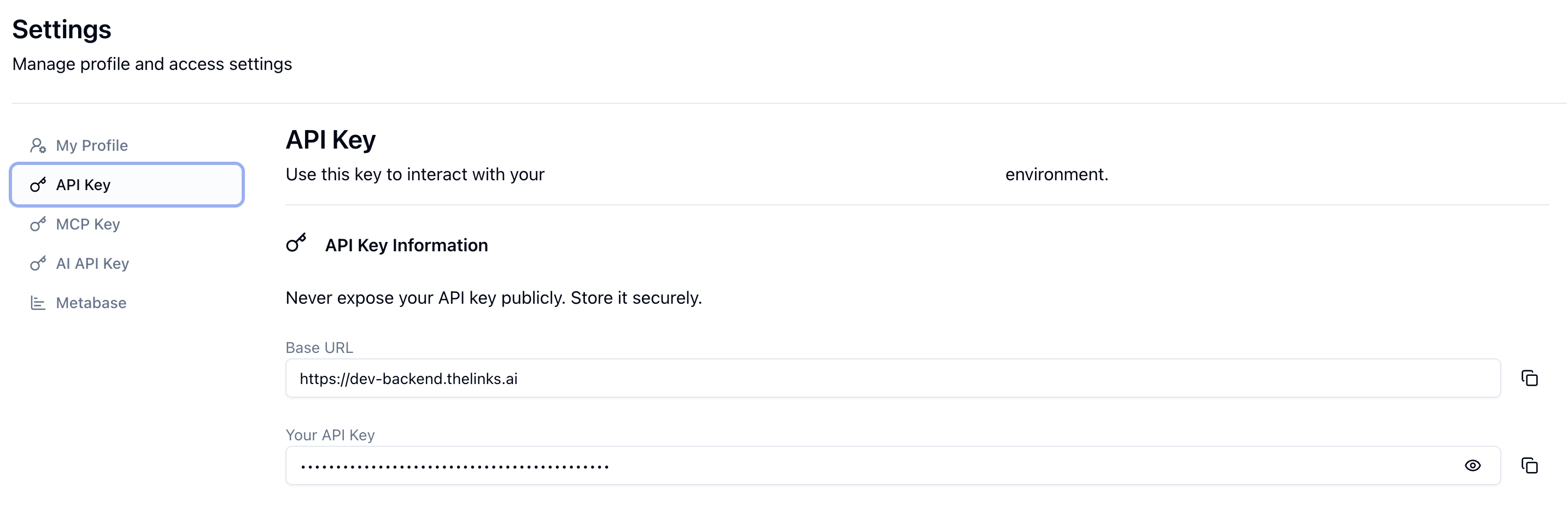
Copy Your Key
You will see your API Key hidden for security. Click the Copy button (often represented by a clipboard or eye icon) to reveal and copy the string to your clipboard.
- Security Note: Treat this key like a password. Do not share it publicly or commit it to version control.
Use in SDK
Once copied, you can use this key to initialize the Links SDK in your project.
import { LinksSDK } from '@links/sdk';

const client = new LinksSDK({
  apiKey: 'YOUR_COPIED_API_KEY',
});