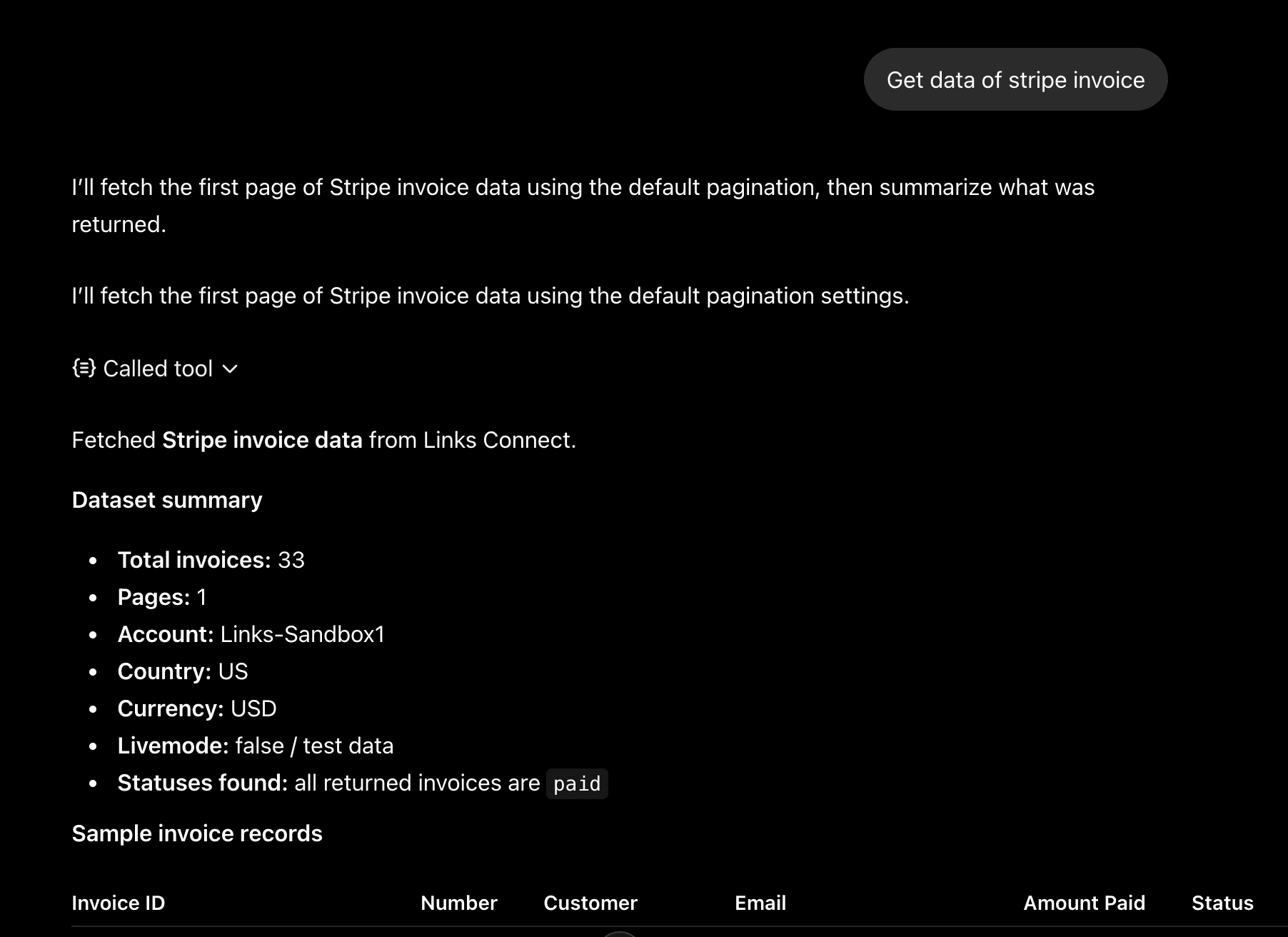
OpenAI / ChatGPT
Connect Links MCP natively to ChatGPT using Developer Mode.
This guide explains how to connect ChatGPT directly to the Links MCP Server.
OpenAI has recently introduced native support for MCP applications within the ChatGPT web interface. Currently, this feature is in beta and requires you to manually configure the connection using ChatGPT's Developer Mode.
Prerequisites
What you need before starting
Ensure you have completed the following:
- Access to a compatible ChatGPT account. This feature is currently available in beta for Plus, Pro, Team, Enterprise, and Education accounts. (See OpenAI's official documentation for details).
- Retrieved your Links MCP Key to authenticate the connection.
Configuration
Enable Developer Mode in ChatGPT
Before you can add a custom MCP app, you must enable developer tools in your ChatGPT account.
- Open ChatGPT on the web and log in.
- Click on your Profile icon in the bottom left corner and select Settings.
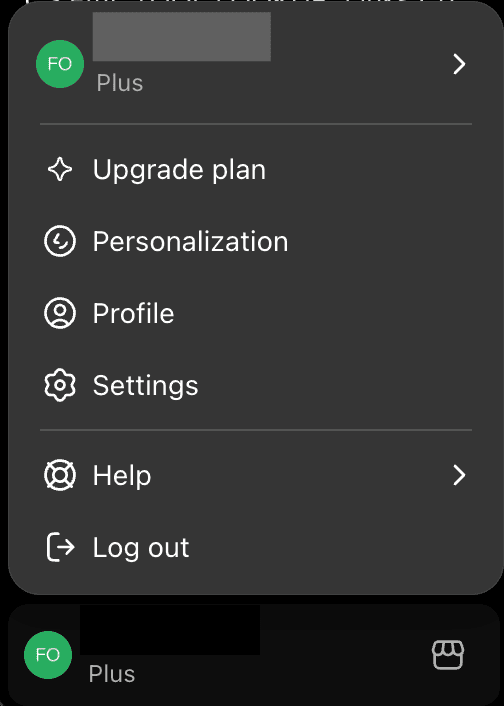
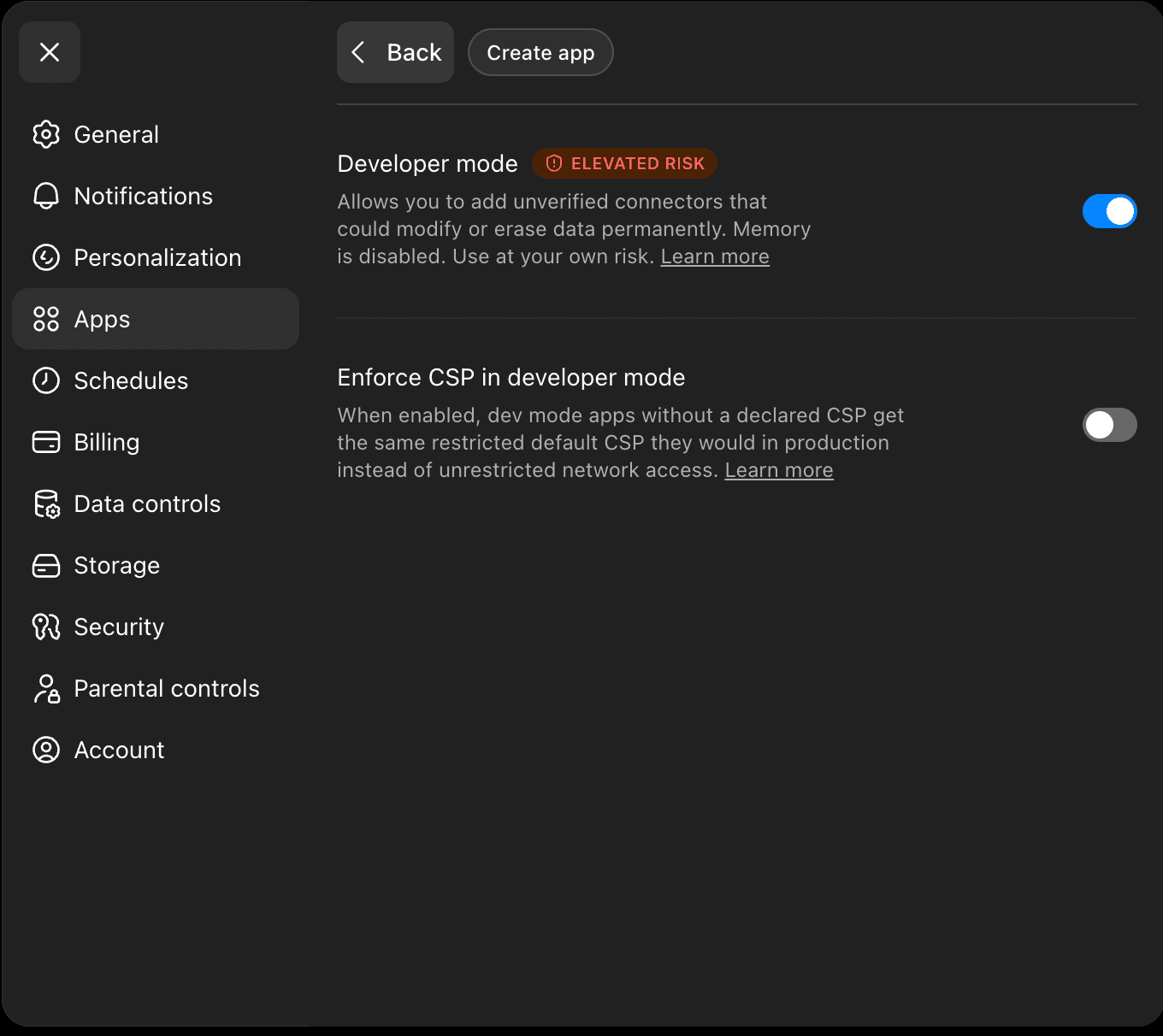
- Navigate to the Apps tab.
- Click on Advanced Settings (the gear icon) and toggle Developer Mode to the active position.
Create the MCP App
With Developer Mode enabled, you can now connect the Links server.
-
Go back to the main Apps tab in your Settings and click the Create app button.
-
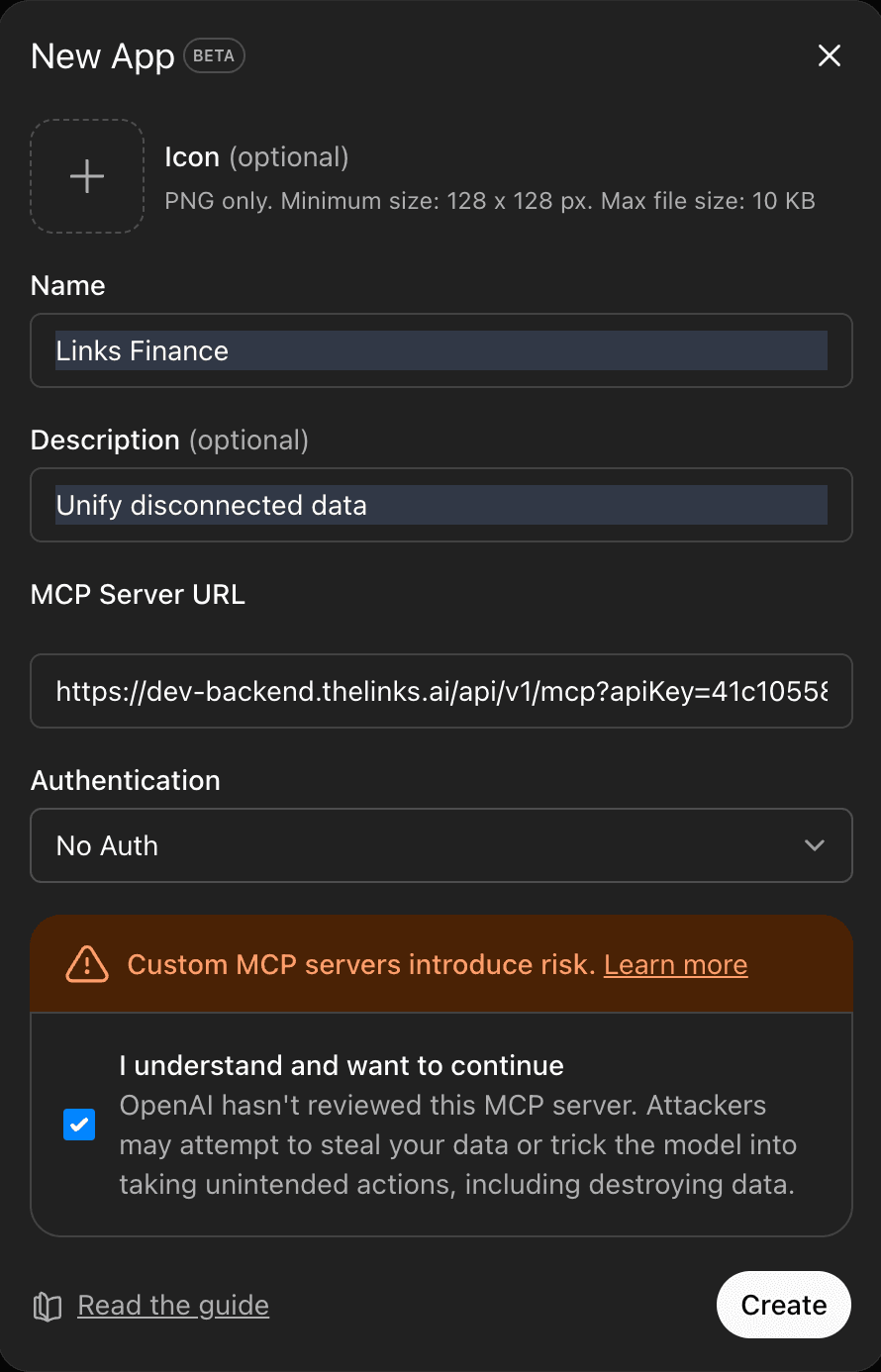
Fill out the application details:
-
Name: Enter a recognizable name (e.g., "Links Finance").
-
Description: Briefly describe what the app does.
-
MCP Server URL: Paste the Links MCP endpoint and append your API key exactly like this:
https://dev-backend.thelinks.ai/api/v1/mcp?apiKey=<YOUR_MCP_KEY> -
Authentication: Select None. (Note: Because your API key is embedded directly and securely in the URL above, you do not need to configure secondary authentication here).
-
-
Check the OpenAI consent box at the bottom.
-
Click Create.
Connect and Test
Your app is now registered and ready to use in your chats.
- Start a new chat or open an existing one.
- Click the Attach (+) icon next to the chat bar.
- Select More, then click on your newly created App (e.g., "Links Finance") to attach it to the conversation.
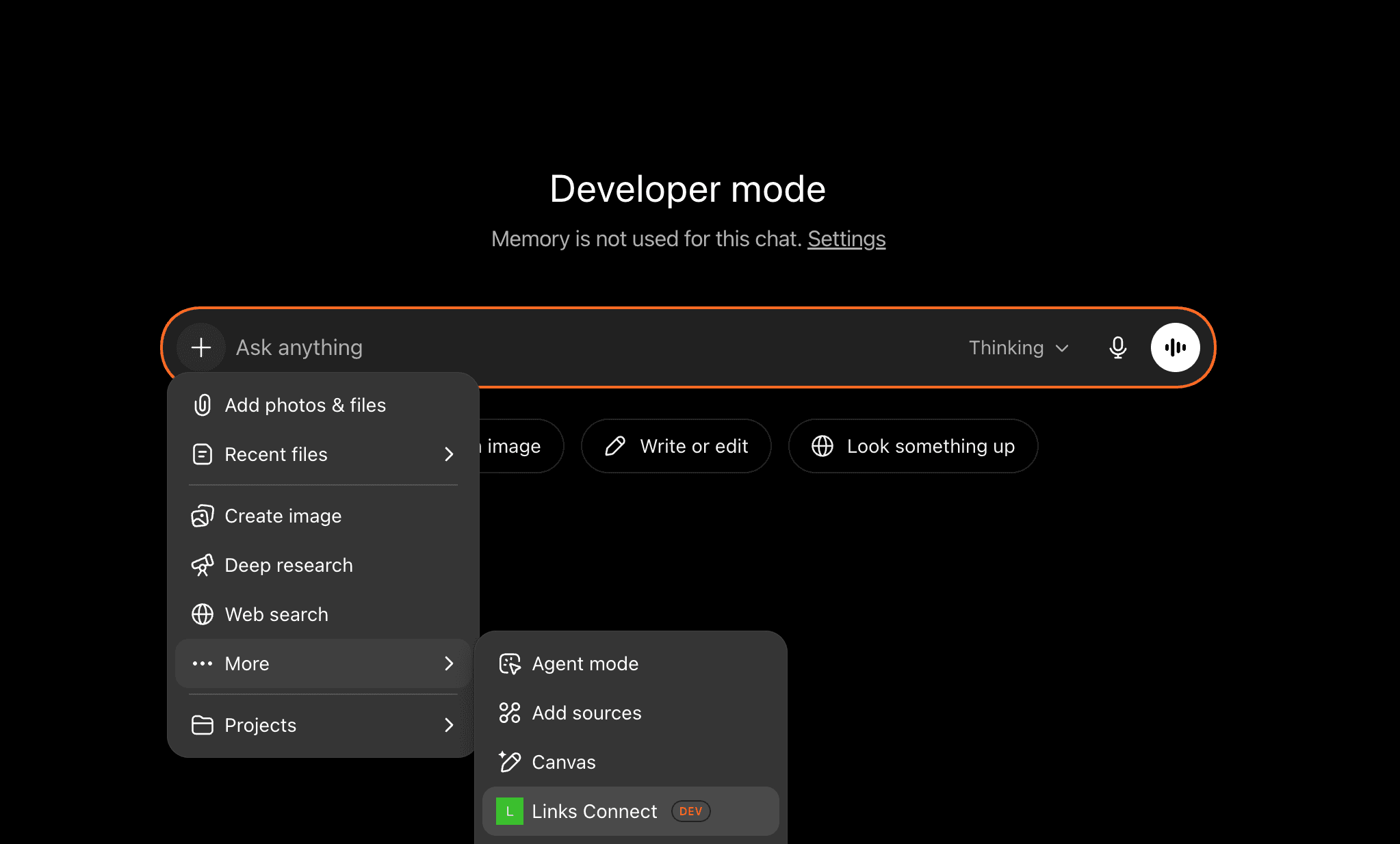
- Run a Test Prompt: Ask ChatGPT a direct question to verify it can fetch data. For example:
"What tools are available in the Links Finance app?" or "Can you get me my chart of accounts detail from Links?"